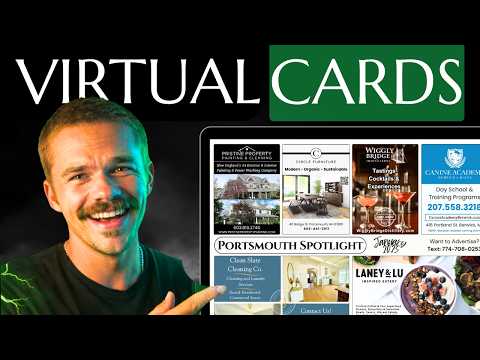
Mitchell demos his free EDDM route planner: shade routes by income, filter owner-occupied homes, combine zip codes, and download a demographics report.
Key takeaways
- The USPS EDDM map no longer shows income or age data, only handles one zip code at a time, and gives no way to avoid apartment-heavy routes.
- The free planner shades each route by US Census data like household income, and lets you filter by home value and owner-occupied homes.
- Set your print run and choose houses only or every door, then add routes from a second zip code without losing the ones already selected.
- Estimated totals show extra postage when routes run over your card count, plus the added fee for mailing through a second post office.
- Download a free PDF report of your routes' income, home value, and owner-occupancy to show advertisers exactly which homes the card reaches.
Read the full guide
 Direct Mail
EDDM Routes: How to Pick the Best Routes on the USPS Map
How to pick the best EDDM routes on the USPS map: income filters, household types, route count math, and a step-by-step walkthrough of the route tool.
13 min readVideo
 Getting Started
EDDM Marketing Explained: Complete Beginner's Guide
EDDM marketing explained in plain English. How Every Door Direct Mail works, what it costs, and how 9x12 operators use it to reach 5,000 homes for pennies.
13 min read
Read the full transcript
Auto-generated from the video, lightly formatted. Expect a few typos.
All right, imagine this. You pick every door direct mail routes on the US Postal Service tool. You pick roughly 5,000 doors. It looks great. And then you mail the 5,000 9x12 inch postcards and your roofer client gets literally no business.
And why was that? Because half of those routes had apartments and renters don't buy roofs. The USPS every door direct mail tool never actually told you that because it's limiting. But starting today, I just built an upgraded tool that will tell you that and it'll help you with so much more. This tool even has a custom report feature that will help you close sales on your 9x12 in postcard or your community card.
So, let's go check it out. This is the new free EDDDM tool that you're going to use. And this was the old EDDDM route planner that US Postal Service provides, which is full of bugs and you're never going to need to use again. So, first I'm going to show you a couple of the flaws that you might have already seen in this tool that you'll resonate with. and then I'll show you the brand new tool that fixes those flaws and goes way above and beyond in a few different ways that will help you close sales and honestly just provide more value to your advertisers.
So, let me show you how you would typically use this every door direct mail tool for the US Postal Service. So, you type in your zip code, you wait for it to process. Okay, now you'll see the Every Door Direct mail routes which you can click on. Pretty basic, right? Here are a couple issues with that.
First of all, it's supposed to give you demographics like age, income, etc. It doesn't give you that anymore. There's no income, there's no size, there's no age. It is sometimes it glitches out. Sometimes the routes don't even show.
There's just bugs galore. Okay. Issue number two, the approximate cost is quite useless to you because this is just the cost of postage and you're most likely going to be printing the postcards anyway. So, the postage cost is kind of useless. You can already do the math in your head.
It's 26 times however many doors. So, not very helpful. And this is something that's really annoying. A lot of us are going to do mailings that go to two separate zip codes, right? And we want them to add up to our printing amount.
So, say we want 5,000 mail pieces and it's spread across two zip codes. Well, I can only look at one zip code at a time. This zip code doesn't show the routes. I would have to, you know, write down the routes from this mail from this um zip code. Write them down, copy and paste them.
so I have them somewhere and then I can go search a different town, the other town that I'm going to and then write down those routes. So now I can go to this town and I'd have to copy and paste the remaining routes and do the math so that this adds up to 5,000 with the other zip code. It's a mess. Not to mention, when it comes time to actually print now, you need to obviously give the printer your routes. You have to go to the table.
You have to manually copy and paste each one. Of course, this is only a few routes, but typically there there could be a lot of routes. It just gets annoying, especially with multiple zip codes. And lastly, the biggest flaw with this is think about who your client is. Your client most likely wants to hit single family homes.
They most likely don't want to hit apartment buildings. They probably want to hit owner occupied homes where the owner actually lives in the house so that when they receive the mail, they can actually see the ad and potentially purchase the service, which is usually a home service business. But the the route tool doesn't give us any of that information. And there's basically no tool out there that does. You can kind of look at like Google Maps on the satellite view and try to see apartment buildings and do a whole bunch of research.
Or we can go over to this new tool that I built for you, which actually layers in all of that data for you. So, it starts out very sim similar. You would type in your zip code that you want to select routes from. It's going to find the routes. And of course, as you can see, this is much more friendly to the eye.
Of course, it looks very similar at first glance, but as you can see, some of these routes are shaded different colors. It's really dark over here, really light over here. And why is that? Because now routes are shaded by whatever you select. So, right now, they're shaded by income.
So, the darker routes are the higher income routes. And this is all from the US Census data. So, it's all very accurate. This is something you cannot get on the USPS tool or anywhere else. You can also sort by home value or filter by home value.
You can filter by owner occupied homes. That way you make sure you're sending these postcards to houses where owners actually live. So this is all data that you can use to try to actually decide on solid routes to send your postcards to that will help your business clients the most. Okay. So here's the process of selecting the routes.
You select however many you want. Oh, and by the way, you can actually choose what your print run is going to be so that it keeps track of how close you are to actually hitting that. So, let's say we're doing a 9 by12 postcard, 5,000 cards. We'll go all-incclusive. And you can select whether it's going to go to houses only or if it's going to go to every single door on the route, and it'll automatically calculate both.
Now, let's say you want two different zip codes in your mailing like we talked about before. Let's see. Remember with the old tool, you would have to start a whole new search and like keep track of everything. Now you can just add to the existing search. You can see I'm starting a new search now, but it's not a new search.
These routes are still selected. Still says 2023 doors from this town over here. And you can continue selecting. It keeps the math the same. And all of your selected routes will always show under the route list here.
You can even filter by selected. And don't worry, you don't even have to copy and paste these. I make it even easier for you, but I'll get to that. Okay, so let's go back to the map. And you can also switch to satellite view if you want a more accurate represent representation of the town.
And here's another thing a lot of you guys have a question about. What happens if my routes go a little bit over? The truth is, every door direct mail forces you to pay for the entire route. So let's say your routes go a little bit over 5,000. 5355 is a lot over, but we're just going to go with that.
It's going to now transparently show you how much extra postage you're going to owe. The other thing is USPS is going to cost an extra $25 per post office. So, because I'm going to two different zip codes, that's going to cost $25 extra. If I just went to the one zip code, there would be no extra cost. So, it gives you all of your estimated totals upfront so that you know in advance what you're going to be paying.
And it'll help you decide on like what routes you want to choose. And here's how you can actually utilize this to close more sales because this is really cool. And if you can show your clients this in a really clean way that shows that you're actually paying attention to the demographics you're sending to, then they're going to be more likely to join your card because they know what type of people these cards are going to. So that's where the download report comes in. Okay.
So you just press the download report button and then you can put in your details like your business name, your personal name, and any contact information you want to put on it. I'm just going to leave my phone blank so I don't give it to you guys. And then you just download your report. And this is totally free, completely free. You can download as many reports as you want for as many different routes.
And it will give you this beautiful PDF report just breaking down the demographics of the routes you had selected, aka the routes that you're going to be sending to, median household income, home value, owner occupied homes, all the important stuff that they're going to care about that you were able to filter for. And so when the advertiser asks you like, "What types of homes are these cards going to?" Now, you could provide them this beautiful thing right here rather than just winging it. Or you can just make it part of your pitch from the start. If you provide an info pack when you're like going out in person and talking to advertisers, you can provide this as well.
So now, let's go back to the tool because there's a little bit more to it. You can also copy the routes if you want to copy them to your clipboard. So if you want to send the routes to your printing partner to let them know where you're sending it, that's how you do that. But assuming you guys are printing with us because we have the smoothest fulfillment in the world where we'll actually take the fulfillment off of your hands. We'll put in the every door direct mail order.
We'll do all of the packing for you and send it straight to the post office. Then you would simply go here to order these routes. And honestly, you guys can use this page even if you're not going with our all-inclusive service. If you want to just print the cards and send them to your door, you go through this order process as well. And it's very clean.
All of the extra fees are already built in. And remember, this is only because you chose routes that go way above the 5,000 doors, but everything's transparent from the start. And the price you see is literally the price you pay. So, I was going with a 9x12 postcard, 5,000 cards, all inclusive. [snorts] And for for those of you guys who have ordered from me before, this is probably looks new to you and probably a little exciting because before you used to have to email me all the details.
Now, it just goes through this order flow. So, it's going to double check that these are the routes that you want to actually send to the ones you already had selected. And you're going to press continue. Then you upload your PDF file right there. And this is literally your print ready file that you're going to send to our team.
You don't have to email it anymore. You go right through this flow and add in any other notes that you want to add in. You would review your order, proceed. Once you review your order, you proceed to checkout and it will have the price right there. The price you see is the price you pay from the beginning.
and everything is a line item. So, that is the new Every Door Direct mail tool from start to finish. And if you aren't printing through us, it's okay. You can still just use the tool without ever printing through us because it's, like I said, helpful for so many things when it comes to planning your routes in general. You can always copy your routes right here and download the report for free.
So, if you ever want to find this tool, just go to 9x12method.com and scroll down to the bottom and in the footer, you'll see EDDDM route planner. and you click there and there you are. So guys, there's literally no reason to ever use the Every Door Direct mail like US Postal Service website again. It's glitchy and it's limiting.
This gives you everything it has plus way more. And it's totally free. So leave a comment if you think it's going to help you. And if USPS is watching this, just know I'm doing you a favor because I'm still sending you a ton of business and I'm making it even easier for them to order from you in the future. So thank you for your service.
Now guys, I hope you like what you see. Again, you will never have to use the Every Door Direct mail USPS tool again. Just use this free one instead for a much smoother experience, way more demographic control, and a much better interface. As you can see, the link to the tool is in the description of this video. And there's also a link to a ton of free tools and resources that will help you along your 9x12 method journey right below the link to the tool.
And if you think my free stuff is great, just imagine how good my paid stuff is. So, the link is in the description to join our community of 2900 other 9 by12ers and community carders, which comes with a full step-by-step course, live group training calls, more software, templates, and so much more. Okay, love you. Peace.
New videos every week on YouTube.
Subscribe on YouTube