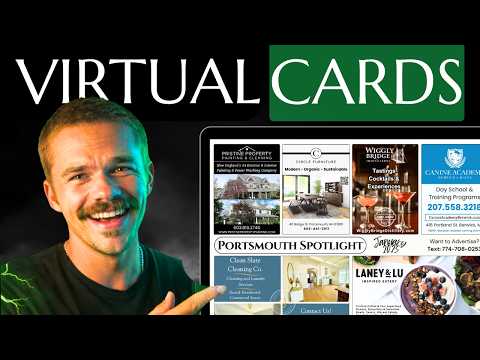
The 9x12 Website That Makes Sales For You (While You Sleep)
Mitchell TeboApril 17, 202612:00
Chapters
Mitchell sets up a 9x12 Sites website in about five minutes and shows the clickable card builder, lead dashboard, targeting map, and multiple campaigns.
Key takeaways
- An eight-step setup wizard covers your name, tagline, zip codes, reservation deadline, contact info, theme, branding, and card layout, and the site goes live right after.
- The interactive card preview lets advertisers click an open slot and pay through that slot's payment link, and you can mark slots sold with the business name or ad.
- Lead form submissions trigger an email alert and land in a dashboard that works like a mini CRM with stages and notes, alongside page view analytics.
- Adding a campaign for another town or card size copies your settings, and visitors switch between locations with a selector on the site.
- Each site includes a targeting map with demographic data for your zip codes, a countdown timer, and a free custom domain with no setup fee.
Read the full guide
 9x12 Tools
9x12 Sites: Build Your Business Website Fast
9x12 Sites gives postcard operators a professional landing page in one afternoon — setup wizard, live card preview, built-in analytics, and lead capture.
15 min readVideo
 9x12 Tools
The Complete 9x12 Method Tool Ecosystem
Every 9x12 method tool explained — CRM, Lead Scout, Our Local Spotlight, ScanLab, Sites, and Printing. See how they connect into one system.
15 min readVideo
Read the full transcript
Auto-generated from the video, lightly formatted. Expect a few typos.
It's a proven fact that the number one way to lose thousands of dollars in sales in your 9 by 12 business is by sending your prospects to a piece of sh- website. And that's why today I'm going to show you how to set up a custom 9 by 12 website that is live within [music] only 5 minutes and is more handsome than me before I shave my head. And when I say 5 minutes, I literally mean it'll be ready and live. You can send it to prospects within 5 minutes [music] and it has some custom features that you wouldn't see anywhere else that is built specifically for the 9 by 12 business. For example, the live card builder where you can show [music] exactly what slots are sold and businesses can click on the slots to purchase a slot on the spot.
[music] That rhymed, I didn't mean to do that. You have a lead form so that your leads flow right into your CRM dashboard. You'll have an interactive targeting map with demographics [music] for your specific location and you can run multiple campaigns at once whether [music] it's different cards or different locations. You can have multiple going at once with no extra fee. And you can have all of this with zero [music] setup fee whatsoever.
All you have to do is pay for hosting which you would have to do for a website no matter where you go. Oh, and it comes with a free custom domain. Now let me show you just how simple it is to build your 9 by 12 website. And when you're interested in joining, the link is in the description. Okay, here we are on Again, the link is in the description if you're interested and I'm going to show you how you can have a live site within 5 minutes customized to your 9 by 12 business.
So let's get started. Okay, so when you first sign up, you get brought into this setup wizard and it's extremely simple. You're just going to go through and put in your info. I'm going to show you how to do it. So we're going to call this the Portland Spotlight.
You can choose from these taglines here or you can type whatever tagline you want and you can always see the site getting built right to your right. Of course, this is just a preview. It's going to look way better in in real life, you'll see. So I'm just going to choose one of those and then we're going to go to the next step. You can see there's only eight steps and then we're fully launched.
It's ready to go. I'm going to say this is going to Portland. You can choose the number of ad slots it's going to. Everything is fully customizable afterwards so if you can't make a decision right now, just choose something. You can always choose later.
So you want to show what zip codes you're mailing to because this is going to show up on your interactive map. And you can put as many zip codes as you want, but later on you're going to be able to have multiple pages for separate campaigns. And this reservation deadline is going to build a countdown timer for you so that people can see how long they have before you actually send the card You'll just put in your business email. You can put in your social links. Look, we're already halfway done.
Now here's where you choose your theme. Again, you can always change this later on. I really like the emerald theme. I love green so I'm going to go with that as you know the 9 by 12 method's green. I also like the classic font.
You can choose all different font pairings. You can really experiment with this to make your website look how you want it to look. Next up, this is where we're going to upload our branding. So if you have a logo, you put in your logo. And then this is the background for your hero section.
So the very first big picture that people see. We have a bunch of pre-made photos already for you for community cards and 9 by 12 postcards because this website will work for either one. Even the card builder that you'll see in a second will work. So I love the puppy so I'm going to go with the puppy. And then you can put a portrait photo.
This is for the about section just to show what you look like. And then the favicon is the little tiny icon that shows like on the tab itself at the top of the web browser. So I would recommend typically just using your logo for that as well. Move on to the next step. If you skip any of these steps, you can always customize this stuff later on in the dashboard.
And this is where we're going to build our actual card template. An advertiser is going to be able to click on specific slots in order to purchase them. You're going to be able to update the slots with like the actual ad designs to show that slots are taken. So it's a real-time card preview that's actually interactive. You're going to like the way it looks.
So you can set a default payment link. I'm just going to do nike.com just to show you guys how it works. But you can also set a specific payment link for every single ad slot. This card size works for 6 by 11s or 9 by 12s.
So I'm just going to quickly fill this in with couple different ad variations. And then we can customize the back as well. Let's put a massive slot here. Medium, medium, small, small, small, small. And you can always edit the s- price of every single one of these slots.
All of it's fully customizable, okay? So now all of my payment links are connected to that. Remember I just put nike.com, but advertisers will be able to click right there on the card and purchase the slot, you'll see. And this is why this website makes you money.
And like I said, this comes with a free custom domain so you can actually request one here. But if you already have a domain, there's easy instructions on the inside for how you can connect it. But if you want to request one, this is where we would do it. So let's request one. You just press the search button.
Okay, and then once you have a domain you want to use, you press select. And that has been requested. So now I'll receive that request and I'll get that set up for you as quickly as possible. Again, that's no extra charge. And now we're on step eight.
You just review what you've already put in. You can edit anything right here and then you press launch my site and voila, your site is officially live. So let's go visit it. Let's go see how it looks. As you can see, we already have a working site, the Portland Spotlight customized to my business.
And to be clear, everything here is going to be customizable in the dashboard which I'm going to show you next. So you could use this website as is. It's already customized to your business. You have the targeting map that's fully interactive, has the demographics pulled from API data to show the exact demographics of the locations you chose. That's not made up.
And then here is the card preview. You can see that it shows the front and the back. And if I click on it, it brings me to my payment link which was Nike. So this is how this website's going to make you money because when a business is hot, they can pay right away. And eventually you'll be able to show that some of these are sold.
I'll show you how in the dashboard. And the thing I like about these websites is it doesn't look like AI made this. There's so many AI websites out there nowadays. This is custom. It looks like a professional web designer built this and it has custom features that no AI website would ever have like this interactive card layout.
Again, frequently asked questions, all of this can be customized, but all of it is usable as is. And now here's your lead form. I'm just going to fill out the lead form as if I'm a business owner that's interested and that way I can show you on the dashboard what it looks like. Now if a business just filled out that lead form, you're going to get an email about it notifying you that you have a new lead. Also, you can see that countdown timer we talked about before.
Now let's go into the dashboard so I can show you exactly what it looks like on the back end and how you can customize everything. Okay, so here we are on your dashboard. You can see we already have one page view because that was just for me viewing it. So you have full analytics. You're going to be able to see how many people visited your site over time which is important because if you're running ads or you made a Facebook post, you want to see if that's actually being effective.
You can see we have a lead that came in. That was what I filled out. I filled out the lead form and now you have access to that lead right in here. It's like a mini CRM. You can choose what stage they are at whether they're contacted, sold.
You can leave notes on them. But what you really came for is the customizability. So let me show you that. You come over here to the site editor and this is a map of your entire website. You can see we have the header section at the top.
We have the hero section. Every single section of your website is right here nice and organized, okay? You can use the eyeball to hide any section that you want. So for example, the hero section would be this top section with the dog. If I press this eyeball right here on next to the hero section, if I refresh this, that hero section's gone, see?
Obviously you wouldn't do that. That's like the most important section. But you can remove any section that you don't like if you think I built it too ugly. Now there's a ton of words you can customize. I'm not going to show you everything right here.
You can even add a hero video so you can add a like introduction video to your hero section. Let me show you how that looks. I'm going to paste the YouTube video in here. You can already see it auto playing. I'm going to set it to Yeah, I'll set it to auto play.
And then we'll go take a look. Everything automatically saves right away as soon as you make the change. And there we go. We have the hero section with the introduction video. Now let me show you the card preview section right here so I can show you how to customize everything.
You obviously built this during the initial setup, but let's say you sold an ad slot to a company and you want to show that ad slot is sold. All you're going to do is press the edit button right here. You're going to press sold. You're going to put the business name if you don't have their ad, but if you have their ad file, we can put that instead. So let me upload one of those.
Okay, so I just uploaded an ad to show that I sold one of these slots. Of course, you can customize the front and the back. Let me show you what it looks like on the front end. Boom. As you can see, the slot is now sold.
Businesses know it's not available. If they try to click on it, they can't purchase it. They can still purchase these ones. Isn't that amazing? Now you can see how you can add some urgency to this cuz they can see that slots are filling up fast.
Of course, if you ever ended up selling like a quad spot, like let's say you sold all four of these on a custom deal, you can always edit this in real Oops, my camera's in the way. You can edit this. So you can delete all of these and just put the slot right in there. So you can edit it on the fly which is very important cuz you might not stick to one template the entire As you can see, updated in real time. And like I said, I'm not going to show you every single thing that you can customize.
It's pretty self-explanatory. Every word on the website is good as is, but you can customize it to fit your business. Okay, so you can customize the words, but you can also customize the appearance. If you didn't like the theme that you chose, you can always change it. So let's go let's try the modern theme here.
I like the classic font so I'm going to keep that. But let's try changing the theme. Just like that, we have a brand new theme, new colors, customized just how we like it. If you want to change it every day, change it every day. But here's where things get twice as good because obviously a lot of you guys aren't settling for just one postcard, one campaign.
Well, here's the thing. You can run multiple campaigns on this website. Let me show you how. All you got to do is press the add campaign button right here. And this works if you want want like one 9x12 postcard and one 6x11 postcard and you want them on separate pages with separate information or it also works if you're doing two separate towns like Portland and York.
So, I'm going to show you I'm going to set up a website for York. Create Now, for simplicity is going to explain this here. Everything just got duplicated from my Portland campaign to my York campaign. That way any settings that I really like just got duplicated over. That way it's a lot easier to make any necessary changes.
So, I would just change this to like the York spotlight. I'm obviously not going to go through and change everything, but I'll change the hero section just to show you guys. I'm going to do a community card in the York in the York town. So, I'll show you guys a community card version. Okay, so I just made some changes to the York website.
So, now you can see how they stack up together. So, I'm just going to refresh and now I'm going to go back to the top and you can see there's a switcher here where I can actually choose my location. So, you can send a specific link to your prospect if you're talking about York or if you're talking about Portland. The world is really your oyster. You have full customization.
As you can see I chose the red cherry theme here. Pretty interesting. Pretty cool. It's got the targeting map for this specific campaign. I did a community card on this campaign, but as you can see on Portland everything is still the 9x12 postcard.
It's the blue theme. You have full customizability. See the 9x12 inch postcard instead. Everything is customized separately. So, you have full control while still being able to have a live site within 5 minutes because time is money.
Guys, I'm of the very strong opinion that having no website is much [music] better than having a crappy website. So, if you're going to have a website at all, you should have a good one. Otherwise, you're working so hard to prospect just to send them to a crappy website that's going to scare your prospects away. So, if you're interested in a custom website that's built [music] to convert and will make you sales rather than losing sales and not to mention will save you a ton of time, then the link to join is in the description. You can have [music] your site up in 5 minutes.
Let me know if you have any questions at all and love you. >> Hell no to the no no no.
New videos every week on YouTube.
Subscribe on YouTube