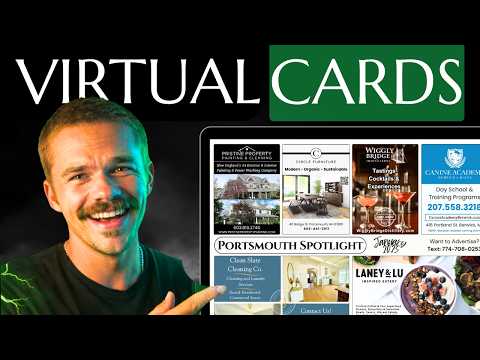
How To Build a 9x12 Postcard Website in Under 3 minutes
Mitchell TeboSeptember 18, 202510:09
Mitchell builds a 9x12 postcard website in minutes with the 9x12 Sites builder, adds a live Canva card preview, and customizes colors and pricing.
Key takeaways
- Enter a site title, a domain you own or two domain choices, your city, mailing size, tagline, business email and phone to generate the site.
- Embed your front and back Canva designs by copying each share embed link, so the site shows sold slots live as your card fills.
- Reserve my spot forms and contact boxes throughout the site send inquiries straight to your email, turning the site into a lead generator.
- Any section can be switched off, and backgrounds, gallery photos, colors and text can all be changed, with edits saving automatically.
- The pricing section can show one, three and six month plans and automatically calculates the cost per home for each price you enter.
Read the full guide
 9x12 Tools
9x12 Sites: Build Your Business Website Fast
9x12 Sites gives postcard operators a professional landing page in one afternoon — setup wizard, live card preview, built-in analytics, and lead capture.
15 min readVideo
 Getting Started
The Ultimate Guide to 9x12 Postcard Marketing: How to Build a $150,000+ Direct Mail Business
Are you looking for a lucrative business opportunity that leverages local marketing and direct mail? The 9x12 postcard marketing system offers a…
7 min read
Read the full transcript
Auto-generated from the video, lightly formatted. Expect a few typos.
It's a proven fact that the number one way to lose thousands of dollars in sales in your 9 by 12 business is by sending your prospects to [music] a piece of website. So, that's why today I'm going to show you how to set up a 9 by 12 custom website that is live within 5 minutes and is more handsome than me before I shave my head. And when I say 5 minutes, I literally mean 5 minutes and the link is also in the description so you don't have to type. And here we are. This is our dashboard.
This is how we're going to build our website and it's literally going to take like 2 minutes. So, the site title is whatever we want the main name of our probably our business to be. So, I'm going to call it our or their local spotlight. That's what I want our site name to be. Just so I'm not copying that other platform out there.
So, the domain, if you already own a domain, you're going to check this off and you're going to write down the domain that you own. >> But if you don't own the domain, we're just going to put you're going to put in the domain that you want [music] and it's also going to ask you for an alternative domain. The domain is literally just like 9 by 12 method.com is the .com.
[music] So, you're going to give them two options for domains just in case your first option is choice would be your local spotlight. com just in case [music] the first one's taken. Then campaign details, the city we're going to go York. That's where we are. We're doing 5,000 5,000 houses.
The tagline, let's see. since 1982. And I'm just writing that so that you guys can see like where it shows on the actual website because this is all going to show on the website. You're going to put your business email. Then your business phone.
And then you can actually choose what you want to display actually because if you don't want to show your phone number for example, you can just flick that that button right there and it won't show your phone number on the site if you just want people to reach out on email. But I'm going to keep that So, now we just review and then we create the site. And the site is literally built. I don't even think that was 5 minutes. That was definitely less than 5 minutes.
All right. So, here we're in our site dashboard and the site is already built, but we can actually customize more things, okay? But first let's let's show you the live site website already built. And like I said, we're going to be able to customize many aspects. Basically this [music] all of the website.
But the beauty of this is you're not building a website from scratch and trying to customize it on the fly. You have a custom you have a website built for you within whatever 2 minutes and then you can just edit the things that you think need to be edited just a here and there like the colors and stuff, okay? Saves you time is money [music] and this saves you a ton of time. So, you can see tickling chickens since 1982. That was our tagline that we put in.
And it's already like as is a fully usable website. It's got, >> you know, beautiful pictures that they've put in here already and you're going to be able to add more pictures here. And it has a live view of the postcard. So, you're I'm going to show you how, but we're going to be able to connect Canva to this website so that you can actually have your live Canva design of the live website in the slots that you've sold showing on here. So, you can actually [music] display what's already sold.
And every once in a while there's a call to action which is very important on a website like reserve my spot and this is where they can fill out a form on what they're interested in and their contact information and their message is going to get sent straight to your email that's on file that you connected to this website. It's beautiful stuff. It's a lead generator. >> So, yeah. I'm just going to, you know, just quickly scroll through this website so you can get an idea of it, but once you guys sign up for free, you guys will be able to see for yourself.
And all of these things like I said, fully customizable. Another contact box which is very important. You want those all over the place so that it's very easy for them to reach out. And here's another example of where it shows your live card in the slots you've sold and I'll show you how to connect your actual Canva design so it shows the slots your actual design. Shows the front side and the back side which is absolutely amazing.
I don't know how he did that. >> All of this can be customized again and I'm going to show you how to do that right now. So, we're going to go back to the dashboard and this is our dashboard again. First thing we're going to do is >> we're going to connect our Canva designs. So, what you're going to do is go to Canva here on the left side bar and you're going to want to grab the front template, okay?
So, this is the front template and then you'll be able to put your ad designs in here. And if you already have a template like I do, you can just use [music] that. So, I already I already got my template built here. This is my front. What you're going to do is going to press share.
You're going to press embed and then you're going to press copy right next to this link here. >> Then we're going to go back to the We're going to go to dashboard here at the top. Canva front edit just going to paste that in the the the link that we copied and boom. Now that's actually going to show on the live website. So, let's let's So, that's everything you put into here into the dashboard saves automatically which is And then so, we're going to refresh the live site and let's see if that actually Boom.
You can see the live view of our postcard is showing our actual design now. So, people can see what slots have been sold when. So, you go don't have to go in and edit your website. You just go whatever progress you've made on the Canva design itself is the progress that's going to show here from now on. It's also going [snorts] to show down here.
Boom. >> And you do the same thing for the back side. So, you would go back to dashboard and you would have a separate Canva file for the back which I do right here. Share, embed copy paste. Okay.
So, now we have our Canva card showing on the on the website. We're going to move on. And I'm just going to click through these with you. So, this is all the info that we've already filled out. This is the campaign size that we filled out.
How many ad spots and all of this is going to show in different places on the website. So, I'm going to keep it at 16. Canva we've already done. Appearance this is where you can customize the colors. Lots of beautiful colors.
I like emerald. Let's go with emerald. And now all of these sections on the website, here I'll show you on the live site. Each of these sections can be taken away. So, like [music] if you don't like this little section here, get noticed by 5,000 residences, we're going to be able to click to just [music] get rid of it.
So, you click you flip a switch, see? Get noticed. And now it's gone. That section is literally not there. That quick.
That easy. Okay? So, whenever you don't like something, just click that switch. And I'm not going to show you every single detail that you can edit everywhere because that's going to this going to be >> an hour long. The beauty of this is you can set up the website within 2 minutes and then customize it however you like.
It's way more relaxing that way. So, a lot of it is usable as is, but you can change the pictures. So, I'm going to change the background of this hero section here. So, I'm going to go to hero on the section editor. Going to click change background and I'm going to go to my desktop and [music] choose this picture of Nubble Lighthouse which is a beautiful lighthouse in York.
And now automatically saved. Let's see if it changed on this side. Didn't even have to refresh. It was already updated. So, you can customize pictures.
You can customize customize every word on here even though they're all already like fitting for the business. Let's add a a picture to this carousel right here. So, what we're going to do is go down to that section which is the gallery And then we're going to scroll down here. I'm going to click to select an image. [music] I'm going to go to local spotlight platform shout out and we're going to use this picture here.
[music] Just going to add that to the gallery. You can also delete the default images if you don't want them in there. And there we go. It's already in there. Didn't even have to refresh again.
It's that easy to edit your website. [music] So, like I said, all these words can be edited and I love this part right here which is actually the [music] pricing section and it allows you to show pricing for 1 month, 3 months if you offer a discount for 3 months, 6 months if you offer a discount for 6 months if you do and you should. So, yeah. I'm going to show you how to customize that right now. So, let's customize the small 1 month price, [music] okay?
We're going to go to the pricing section. Everything's named properly. It's really straightforward. We're going to go to pricing plans, but we can also, you know, change the text, all the badges and everything. All these names can be changed.
[music] We're going to go to pricing plans. and you can even customize like the size that it describes. So, let's say it's 24 by 25 inches >> just so I can show you where it actually edits that. The duration for 1 month, we're going to put the price at dollars, okay? And it So, it was 250 and it's saying 5 cents per home.
Watch. It's going to automatically do the math for you, okay? [music] It's automatically going to do the math. So, we're going to save changes. We're going to update this.
And now if we look at 1 month 150 dollars and it updated the math. Isn't that beautiful? And what we say? 24 by 25 inches. Like I said, [music] everything can be customized to be as beautiful as you want it to be.
Also, it looks like I didn't end up changing the color. So, I recommend pressing save whenever you can. [music] Or maybe I was just too dumb and didn't even click the color. But just press save whenever you can just so that you know that things are saving, but supposed to save all on its own. Look at that.
I love it with the green. Now that is a website [music] that we built in 2 minutes, customize probably less than an hour if you're really picky, maybe an hour and you can have everything customized. Testimonial section, shows your live Canva template. That is a stinking website. Time is money.
Save yourself time, make yourself money. com. Comment site down below if you think [music] that Dustin is an absolute legend for building this, and I'll see you on the next one.
New videos every week on YouTube.
Subscribe on YouTube