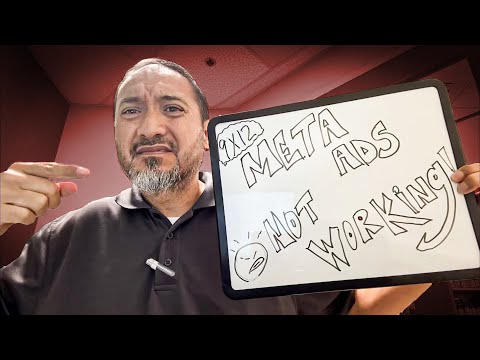
How to keep cold emails to local businesses out of spam: no links or attachments, real personalization, a slow warm-up, and sending from your own inbox.
Key takeaways
- Leave links and attachments out of the first cold email, and save your website, flyers and sample card photos until the business replies.
- The first email's only goal is a one-word reply, so ask a simple question and use a plain subject line like "Question."
- Personalize every email with something specific about the business, because Gmail and Outlook can detect the same template sent over and over.
- Warm up a new address at five emails a day, build slowly to about 30 per day, and spread your sends throughout the day.
- Use two or three addresses for more volume, and never send cold outreach through newsletter platforms, which land in the promotions tab.
Read the full guide
 Sales & Outreach
Cold Email Templates for Postcard Sales (5 Real Scripts)
5 cold email templates for postcard ad sales — initial pitch, follow-ups, last-call, and renewal scripts. Copy/paste ready, proven across 2,800+ operators.
14 min readVideo
 9x12 Tools
Lead Scout: Find Business Contacts Fast
Lead Scout pulls local business contacts by industry and area in seconds. See how 9x12 operators use it to build lead lists and fill postcard slots faster.
16 min read
Read the full transcript
Auto-generated from the video, lightly formatted. Expect a few typos.
If you've been sending cold emails to local businesses trying to fill your 9 by 12 postcard and you're getting absolute crickets back, I need you to hear me for a second. It might not be your pitch. It might not be your offer. It might be that literally nobody is getting your emails because they're going straight to the spam folder and you have no idea. This is a real thing.
I've seen people send out like 50, 60, 80 emails in a day and get zero replies and think that the market's dead and that nobody wants this. They start questioning the whole business. Meanwhile, 90% of those emails never actually hit an inbox at all. Today, I'm going to break down exactly how to stay out of spam when you're cold emailing local business owners for your 9 by 12 postcard. And this stuff is simple.
It's not rocket science, but if you don't know these clear rules, you're basically just setting money on fire every time you hit send. All right, let's get into it. So, quick context in case you're brand new here, I teach the 9 by 12 method, which is in my opinion the simplest, most AI proof business model that there is. All we're doing in this business is helping local businesses split the cost of marketing. You take a big 9 by 12-in postcard, biggest thing anybody ever receives in their mailbox, and you sell 16 ad slots on it to local businesses for about $500 each.
You then get it printed and mailed for 5,000 homes and all the businesses split the cost of the mailer. You keep the spread and that's around $5,000 in profit per card. Zero dollars up front, no upfront money, nothing out of your pocket because you collect from the advertisers first. You're not a salesperson in this business, you're a community connector. Okay?
It's simple. In full transparency, I do have a community and a course attached to it that breaks down the whole process from start to finish. The link is in the description if you want that. And alternatively, probably sell out a full card just by watching my YouTube videos. They're free.
Cold email is one of the most common methods of making sales for the 9 by 12 postcard business or really any other business out there. But here's the thing, email providers like Gmail and Outlook are looking at every single email that hits their servers and making a decision in milliseconds. Is this spam? Is this a real person? Is this a business?
And they're checking for specific indicators. Now, if you do the wrong things here, you get flagged. And once you get flagged, your sender reputation tanks and now all of the emails you send, even the ones with good intentions, go directly to the spam box. So, we have to play this game a certain way. Rule number one, do not, under any circumstances, put links in a brand new cold email.
I'm telling you, no links to your landing page, no links to your website, no links to Instagram, no link to a Google Drive with a flyer in it, nothing. A cold email with a link in it, especially from a brand new sender with no reputation, is basically the number one thing that gets you marked as spam. The algorithms assume anybody sending links cold is either fishing or running a scam. So, just don't do it. Save the links for after they reply.
Same thing with attachments. No PDFs, no images, no flyers, no sample cards. Don't attach anything on that first email. And I know it feels like you're being helpful by attaching a sample of the card, but you're not. You're getting flagged.
Again, save the sample pictures for after they respond. Once they reply, now you have what's called a conversation thread and at that point you can send whatever you want. But for cold email specifically, send simple, plain text. Just words, that's it. Now, rule number two, keep it short, keep it simple, and above all else, try to elicit a response.
That's the most important part. Aside from the psychological fact that if you elicit a response from the prospect before pitching them, you're more likely to close the sale, there are also spam implications. Let me explain. Email providers look at how your emails perform. If nobody ever replies to your emails, nobody opens them, and especially nobody engages, then they just assume you're a spammer and they'll start filtering your content even harder.
But if people actually reply to your emails, your sender reputation goes up and more of your emails start hitting the actual primary inbox. So, your job with a cold email is not to sell the card on the spot. It's to get a one-word reply back. That's it. That's why the scripts in our community are so damn simple.
They're not lazy. We're just not showing the full cake in email number one. You just want to ask them a simple question. Make it easy for them to just say yes or no. And the more replies you get, the better your emails perform going forward.
It's kind of a compounding thing. And this is actually why I tell people in the community to just use the subject line like question. Just the word question, nothing else. And the whole point is to not give anybody a reason to not open it and to start a conversation. You're not pitching in the subject line.
Now, rule number three, and this is a big one that many people don't actually know about, but it can have one of the largest impacts on whether or not your emails go to spam or go to the primary inbox. And ignoring this detail will quite literally cost you thousands of dollars in sales and you may even give up on this business thinking people just aren't interested in responding. But that's not actually what's going on. You're probably going to spam. The key detail you need to focus on is personalization.
And I mean real personalization, not just dropping their first name at the top. That changes literally nothing. Every cold email you send should have something in it that proves you actually looked at their business. Their location, a specific service they offer, something on their Facebook page, quote from their website, just something unique. Because here's the thing, we are in the AI era.
Gmail and Outlook are smart enough to detect when you're sending the exact same email 50 times in a row. Same subject, same body, just different recipients. That's called a template and they can smell it from a mile away. That's why a lot of people end up in the promotions tab or spam even when they're doing everything else right, even if they're following all of the other rules. And now this is where I want to tell you about something I built for this specifically.
It's called Lead Scout. In full transparency, it's it's optional. You don't need it, but it solves the exact problem and will save you a ton of time. And time is money and staying out of the spam box also means more sales and more income. So, what Lead Scout does is it pulls a list of local businesses for you in whatever zip code or area you tell it.
It puts all of their contact info and even the business owner's name right in front of you. But here's where it gets powerful. It actually goes and writes a custom email intro for each business based on specific information that it pulls from that business's actual website. So, like one email might open with a line about a review from their Google profile. Another one opens with something specific about a service that they offer that they listed on their about page.
And another one references something from their Facebook page. Every single email looks handwritten because in a way, it kind of is. You just didn't do it. Each one is completely unique, which means Gmail and Outlook can't just pattern match you as a spammer. It's one of the single biggest things you can do to stay out of the spam box.
And if you want to check it out, Lead Scout is linked in the description of this video. But even if you do all of this manually, and some of you will, that's totally fine, the principle is what matters. Make every email different, even just one sentence, although I recommend a little bit more. Not only will this prevent you from going to spam, but it will dramatically improve the percentage of businesses who actually respond to your first email. I mean, businesses literally get pitched over email all day long.
You differentiate yourself by showing you did a little bit of research about them. Lead Scout handles this research for you. Now, quick side note, if you've learned a thing or two about avoiding spam at this point in the video, do me a favor and tap that like button while you're at it because it shows me that you feel that this advice is valuable and I should actually continue to put out more educational content like this. And as a thank you, here's a picture of a duck wearing a tiny top hat while sitting on a unicycle and licking a blue soft serve ice cream cone with bananas in the background and a tsunami coming towards them. You're welcome.
But anyways, let's keep moving. Rule number four, keep control of your sending volume and warm your emails up. And this is one that trips people up constantly. When you get a brand new email address and you start blasting 50 emails on day one, you are immediately going to the spam folder. No question about it.
Every single time. Because email providers don't even know you. You have zero reputation. And to them, a brand new email account sending 50 cold emails looks exactly like a spammer because you are. So, you have to warm up.
So, here's the plan. Start with five emails a day for the first week per email address, then 10, then 15. Build it up slowly over time. And after about a month, you can comfortably do 30 a day without any issue as long as you're still following the other rules that I've talked about so far. And make sure you spread them out throughout the day.
Don't send all 30 all at once. Space them out. Send some early morning, send some mid-morning, send some in the early afternoon. It should look like it's a real human on the other side because there is a real human on the other side. It's you.
And now on an important note, it's a general rule of thumb that you should never send more than 30 emails per day with a given email address, no matter how warmed up it is. Now, that doesn't sound like a lot of emails, so let me explain a quick workaround for that. Because 30 emails really isn't that much. It's pretty simple. You just use multiple email addresses.
If you want to send real volume without cooking any of your singular accounts, just split it across two or three email addresses. Each one doing 20, 25 a day while being warmed up properly, now you're sending about 60 to 75 a day in total without ruining an account. And this is how people fill cards faster without their deliverability collapsing. Oh, and this one, this is a side note, but it's actually really important. I recommend you do your due diligence on bulk email sending platforms for cold outreach.
For example, Mailchimp, Constant Contact, any of those. They seem like a cheat code at face value. You can send a ton of emails, but in reality, they're built for newsletters. The second your email leaves their servers, it gets tagged with their sending signature, which Gmail automatically sorts into the promotions tab. That's literally the whole reason the promotions tab exists, to filter emails coming from these marketing platforms.
So, if you're using Mailchimp to send cold emails thinking that you're being efficient, you're basically guaranteeing that nobody sees them. So, send from your actual email client like Gmail, Outlook, whatever you use, straight from the inbox. All right, now to recap the key rules that you need to follow, and write this down. No links on the first email. No attachments on the first email.
Keep it short and sweet. Personalize every email, even if it's just one sentence. Use Lead Scout to help you with this. Link is in the description. Aim to get just a reply at first, not make the sale.
The subject line should be something simple like question. Warm up your new email accounts slowly. Spread your email sending sessions throughout the day, not all at once. Use multiple email addresses if you want real volume. And never use a bulk sending platform for cold outreach.
Do those nine things and your emails will actually land in the inboxes, which is the whole battle. If you want to plug into the full system, the scripts for every stage in the process, the templates, and the community of 2,800 other people selling out 9 by 12 postcards right now, the link for the community is in the description. And if you're looking for a full walk-through on Lead Scout before you pull the trigger, watch this next video where I show you how it will save you dozens of hours and make you thousands of dollars. As always, I'm rooting for you. Peace.
New videos every week on YouTube.
Subscribe on YouTube