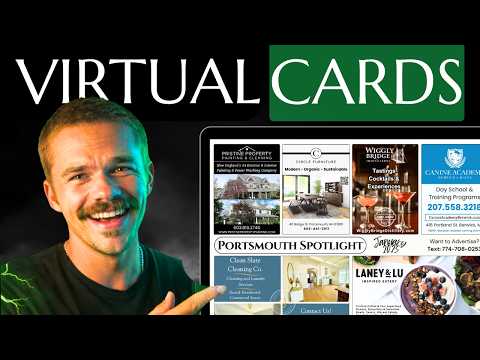
Free AI Ad Generator - Never Design 9x12 Postcard Ads Again!
Mitchell TeboOctober 20, 202512:21
Mitchell demos the free AI ad generator for 9x12 Method community members, turning a business's details into a print-ready postcard ad in about 30 seconds.
Key takeaways
- Community members sign up on the ad generator site using their exact Skool name and a secret code posted inside the community.
- Enter the business name, offer or headline, a short service description, call to action, and contact details; only the name is required.
- Keep every input short, since the AI nails the ad about 75% of the time and fewer words give cleaner, more accurate results.
- Add brand colors, a design style like playful and tasty, and an optional logo, then click design again if the first result misses.
- Download the image right away because it isn't stored, then crop or adjust it in Canva; the 300 dpi PNG is print ready.
Read the full guide
 Direct Mail
How I Built a Free AI Ad Generator That Creates Professional EDDM Ads in 30 Seconds
New free AI ad generator for 9x12ers creates professional EDDM ads in seconds. No design skills needed – just paste business info and download print-ready…
6 min readVideo
 Card Design
How to Design a Postcard Ad That Actually Converts
Postcard ad design that gets calls, scans, and customers. Layout, copy, offers, QR codes, and the design rules that separate winning ads from junk mail.
14 min readVideo
Read the full transcript
Auto-generated from the video, lightly formatted. Expect a few typos.
I'm going to lose so much money because of this video and I don't even care anymore because I just made all of us professional ad designers. Gone are the days of throwing together random fonts and texts and pictures hoping that we put together a good ad for our clients. Gone are the days of our clients saying that their brand color is purplish blue and us being colorb blind having no idea how to even put that on a canvas. And honestly, gone are the days of us wasting an hour altogether on designing one ad for our clients. Those days are over cuz now we can do it in 30 seconds.
And the best part is it's completely free for you at least. I'm going to lose a lot of money because I just built a pretty good AI ad generator that will take you from start receiving information from the business to finish actually a finished completed pretty ad 75% of the time totally free because I'm eating the cost of all the AI generations. And okay, you guys might be wondering why Mitch, why are you eating the cost? cuz I feel like it. I want to give back to my community and I know that ad design is something that a lot of you guys stress about.
You don't have to stress anymore. So, let me show you the tool. I'm super hyped. Okay, so here we are at ads.n912method.
com. And like I said, you have access to this right now. But first, watch this. Let me bring you through it. Okay, so all we're going to do is create an account.
And if you're a member of our school community, our 9x12 method school community, it's completely free for you guys to join. So, you're just going to put in your full name. We'll do an email. And then you're going to put in your exact name on school. Now, this part's important.
If you don't put your exact name on school, you're going to get kicked out because I got to make sure that it's only our school community members that are joining this. Then you're going to choose a secure password. And then right here is where you're going to enter the school secret code. So, it's a secret code in school that only our school members have access to. And you would click this link right here to get to that.
So, I'm going to do that right now and I'm going to blur out the secret code so that you guys can't see it. Okay. So, I just clicked that link, this link right here, and I I pasted in the secret code that it gave me. I have it blurred out so that only our school members can actually go get it. But yeah, if you're in school, you can grab that right now.
And then we're just going to click create account. Okay, account created. Now, guys, this is a completely free tool and it's an AI image generator. And if you guys know anything about AI, generating images is pretty expensive and somebody has to cover that cost. And that right now is me, Mitch.
I'm eating that cost for you guys so that you get so you can use this totally free for your ad designs. So that's why I have this popup here if you guys want to make a donation to help me keep this free for as long as possible because I'm not made of money, but I could try to eat this cost for as long as possible. And just a few generous donations would definitely help. Honestly, if you donated just like $5 per card that you fill out, we would easily be able to keep this running for eternity. Okay?
So, no pressure. It's completely optional. You can use this for free if you want, but if you want to make a donation, you'd click that button right there. And also, I'll probably put a little leaderboard on the side of the tool eventually to show the largest donations. So, if you're feeling generous, please help out.
Otherwise, just click this X button right here. Okay, here we are. It's very simple. So, literally the whole point of this tool is for you to be able to take the information that the business gave you about themselves, like their contact info, their brand colors, and you literally just paste it into this tool, and it will design the entire ad for you. Okay, so let's walk through it.
So, I already have some fake pre-made businesses. So, I'm going to swipe over there to grab one. Let's go with Bill's Burgers. Okay, so I just have some fake contact info. So, the business name is Bill's Burgers.
Just going to place that in there. Offer or headline. Let's do free soda with the purchase of a burger. I already had that made. Let's their description of their service.
Let's say it's um best burgers and fries in town. Okay, that's their service. And guys, you want to keep this short and brief. You don't want to write a whole paragraph because this is AI and it's imperfect. And that's why in the beginning of the video, I said it comes out perfect 75% of the time.
But it's free, okay? You guys can't complain about that. So, the less information you give it, the more concise you are, the more accurate and pretty the ad will be. So, you want to keep it short and sweet. Okay.
So, next we're going to do the call to action. So, it's going to be order online, we deliver. And then we just click the next button. And then we're going to put in their phone number. 050 0000 999 blah blah blah.
Okay, we'll put uh we'll skip email cuz any of these fields that you don't want to put into the actual ad, you can just leave it blank. None of these are required other than the business name. Okay, so we'll put their website www.billsberers.com.
Let's put three Z's. Then the address one, two, three. Candy Cane Lane York pa zero. Okay. And we click next.
Then the color style. So this is literally just the colors that you want it to use. So I'm going to say um green with a hint of tan. What else did I have written? And white.
Design style. Let's go playful. and tasty because it's a burger joint. So, let's just make the design style feel tasty. Okay, we're talking to AI, so you can be a little creative here.
It might interpret you wrong, but you never know. It might come out really good. And then business logo. So, you can actually choose a file. You can upload the business's logo if they gave you their logo to put on it.
Otherwise, you can just leave that blank and it might design a logo for you. But, I do have a logo in this case. So, I have Bill's Burgers. As you can see, it's just a little burger and it's going to put that on the ad design itself. So, right now, we just have the portrait aspect ratio available.
I'm working on getting more sizes to come soon. AI is horrible with aspect ratios at the moment, so there's not a lot I can do, but right now it does great on our standard 4x3 in ads. Okay, so that's going to be a portrait. And then here, we just review all the details. And then we're going to generate design.
Let's see how it turns out. And I'm going to keep it in real time just so you guys can see how quick this is. And let's see how it turns out. That was the slowest it's ever been. But here we go.
And sometimes it's a miss, sometimes it's a hit. So, let's see how it turned out. Simple. I like it. I love the background.
It's beautiful. It's got a little bit of a gradient and like the burgers in the background. It did use the logo I gave it. it used it properly. It shows the actual call to action or the the offer large, loud, and clear, which is very important.
It says free soda with the purchase of any burger, which is literally perfect. That's what you want. We got our call to action on the ribbon, which also helps the call to action stand out. I think this is perfect. I don't know about you guys, but this this is pretty.
Okay. And you guys can always bring this into Canva and edit it a little bit further. You can remove things. You can add text over it if it's too small, but this is actually amazing. Okay.
So then all you're going to do, if you don't like the image, you would just click design again. But if you like it, you just press download image. Make sure if you like the image, you download it right now because as soon as you click design again, it's gone forever. Okay? I'm eating the costs of this.
So if I was to store all these ads for you somewhere, it's going to cost me even more money. I can't do that right now, but I want to keep this free for you guys. Okay? So let's design another one. So we're going to click design again.
and you're going to see that pop up again for a donation if you guys are feeling generous after that first beautiful ad design. Okay, so as you can see, we didn't get rid of the contact info and everything just in case you wanted to just alter a few things. I didn't want everything to get deleted. So, you can actually, you know, still edit things. Okay, but right now I'm going to put in different business and we can try this again and see how it does again.
And I'm just going to skip ahead to the good part. So, the next business is going to be called Allegiance Custom Homes. It's going to be a custom home builder. I'm going to go for a luxury vibe. Okay.
So, I'll see you in a second. Ready to go. Okay, I just filled out all the details. I'll just go through them with you real quick and we can see how it turns out. So, name of the business, Allegiance Custom Homes.
They're going to offer $2,000 off a new kitchen renovation. Custom their custom kitchen builders. Um, there's call to action is call for a free no obligation quote. It's good to have a call to action and an offer. That's important.
It's got the contact info. And then for design, I went this time with gold, burgundy, and eggshell. Let's see how that turns out cuz I'm going for a luxury modern type of feel for this custom home builder. Okay, makes sense. Let's generate design and see how it turns out.
Okay, clearly I messed up because I forgot to remove the logo from the previous business. So, let let's try this again. I'll remove the logo this time. Okay, here's an example of you get what you pay for. This is free, so not everything's perfect.
Like I said, 75% of the time it works every single time. So, as you can see, it kind of messed things up right here. So, every once in a while you're going to have to try again, but luckily we can just press design again. X that thing out. We just click through the next cuz all the information is still there.
I chose to not get rid of any of it. Then we're just going to generate again. We'll see how the next one turns out. Most likely it'll be good cuz it works 75% of the time every single time. Awesome.
Now, this is what I'm talking about. $2,000 off a new kitchen renovation. Pops right out. It's got the gold and burgundy and a nice swirly twirly but like luxury feeling background. It looks like liquid like liquid burgundy.
It's got the contact info very clear. Yeah, it's pretty solid. I mean, and if you guys want better, you just press design again and try it again or just change things around. As you can see, sometimes it doesn't totally fill up the entire picture. Again, you get what you pay for, but also AI just really stinks with these sizing and aspect ratios still.
So, I did the best I could with the code, but sometimes you're going to have to do a little bit of cropping. So, I'll show you how to do that. So, we're going to download the image. Okay. Once you download the image, you're going to go to Canva, and then you're going to place the image into the Canva design like so.
I'm just going to drag it in. Okay. As you can see, there's all the the border, all the border around it. So, what we're going to do is just drag this line in like this. Zoom in to make it clearer.
Boom. And because these are downloaded as a PNG, it's still super high quality. 300 dpi, it is print ready. And all you're going to do is drag those lines in. Then we're going to size it up.
And sometimes things don't fit. So, all you got to do is change the color, the background color of the template. So, what we're going to do is boom, boom, boom. Now, it matches. Beautiful.
Now, it's not perfect, and you'd probably want to redesign this so that it does fit, but uh yeah, that is custom ad design in a nutshell. And it took us like 10 seconds. Like I said, if you're part of our 9x12method school community, just go to ads.n912method.com, sign up for an account.
It'll tell you how to find the code. And if you're not a part of the community, you can join the community by the link in the description. And then you can use this sucker for free. And I hope to keep it free forever because I'm super grateful for you guys. And I want to see you guys succeed.
And I don't want to see you guys sitting on the sidelines because you're afraid of some ad design. And now you don't have to be afraid. So, thank you. I'll see you on the next one.
New videos every week on YouTube.
Subscribe on YouTube